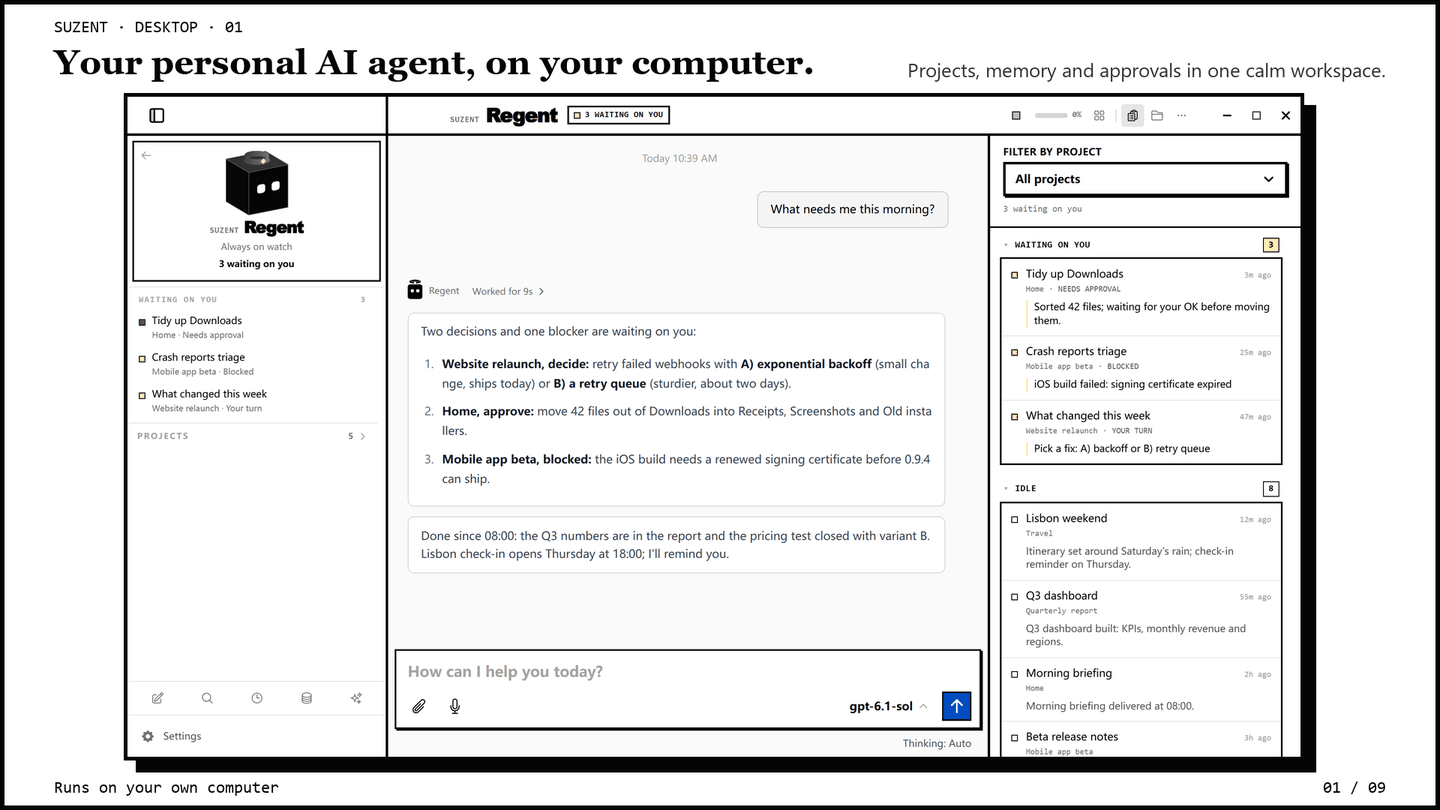
Suzent's Windows app is now on the Microsoft Store. Click Get and it installs: no PowerShell, no Git, no Python setup. It is the same agent as before, with the same memory, the same 16 model providers, and the same permission modes, in a package Windows manages for you.

How to get it
Open the Store listing, click Get, and launch Suzent from the Start menu. Add a model under Settings → Providers (or pick Ollama to stay fully local) and start chatting. The Quickstart covers the rest.
The Store is now the recommended way to install on Windows. The desktop installer and the terminal script still work and are not going away.
What's different about the Store build
- Everything is bundled. The package carries its own Python runtime, Suzent and its dependencies, so the first launch does not download or build anything.
- Sandboxed package identity. Windows installs it as a signed MSIX package
and keeps the install folder read-only. Your chats, memory, settings and keys
stay in
~/.suzent, so they survive reinstalls and uninstalls. - Updates come from the Store. Updates arrive through the Store like any
other app.
suzent update,upgradeandrepairare turned off in this build because Windows owns the install. - Start at login, the Windows way. Settings → Background service turns on the package's startup task. It is off by default, and you can also manage it in Windows Settings → Apps → Startup.
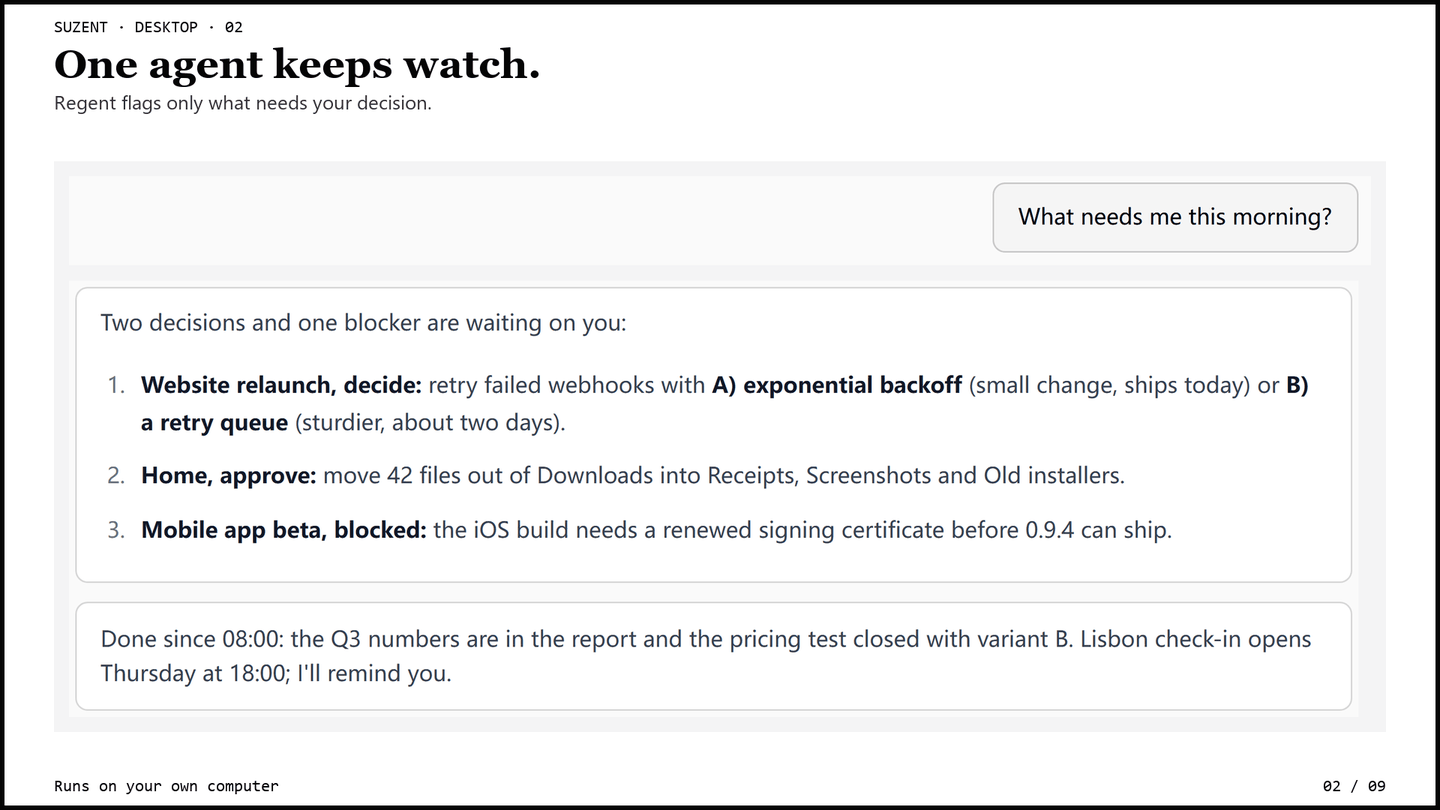
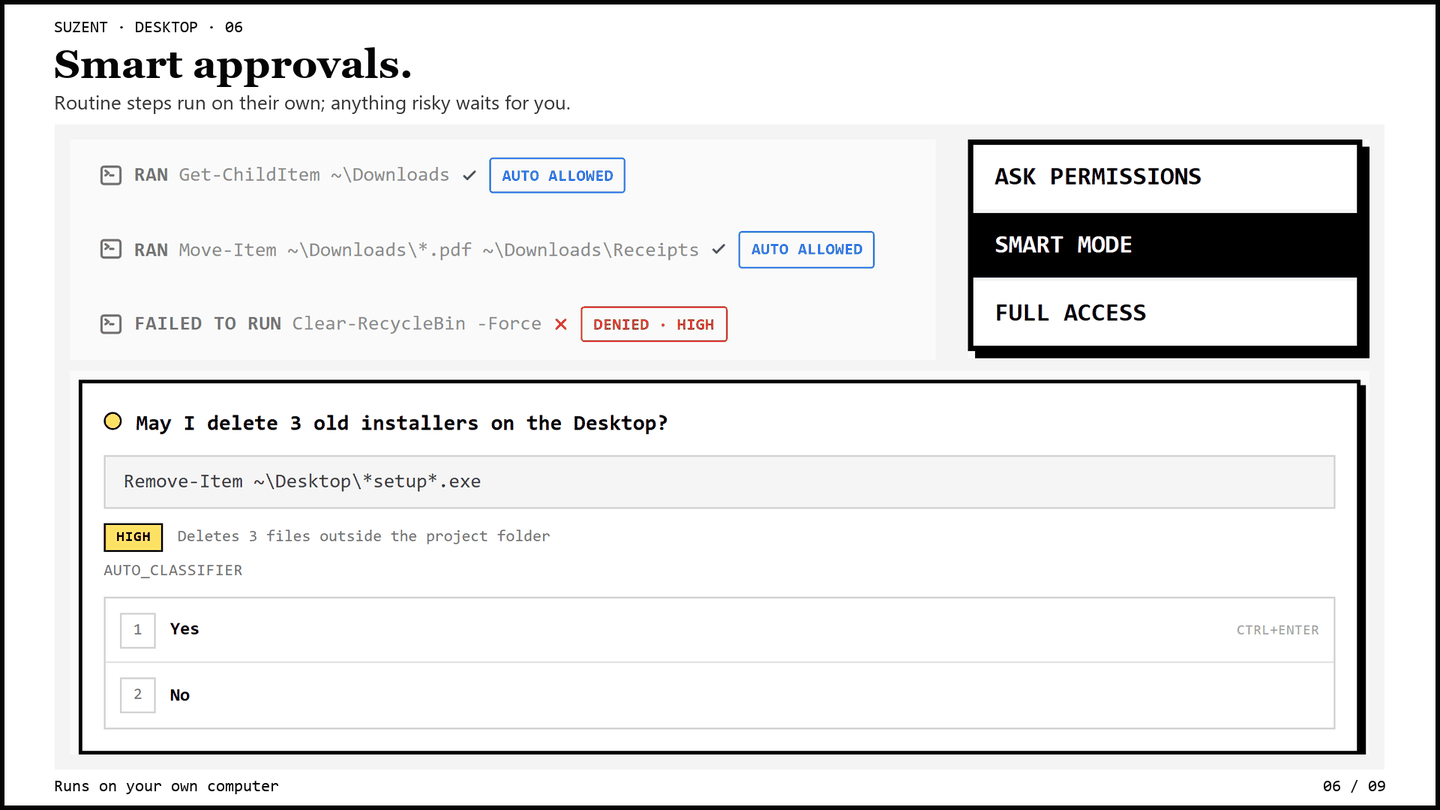
Nothing about how the agent behaves changes. Regent still runs your projects in the background and only comes back to you when a decision is yours. Risky actions still wait for your approval, under the rules you set.
Already using the installer version? You can install the Store app next to
it, and both use the same ~/.suzent. Run one at a time: quit the other one,
including its background service, first.
What's coming
Store releases will follow the desktop release train: each tagged desktop release is submitted to the Store from CI, so the Store version keeps up with GitHub. Certification by Microsoft still applies, so expect a short delay after each release.
Get it from the Microsoft Store · Quickstart · Source (Apache-2.0)